
Download MiniMail – Fast Apple Mail Preview, Free Desktop Plugin
Overview
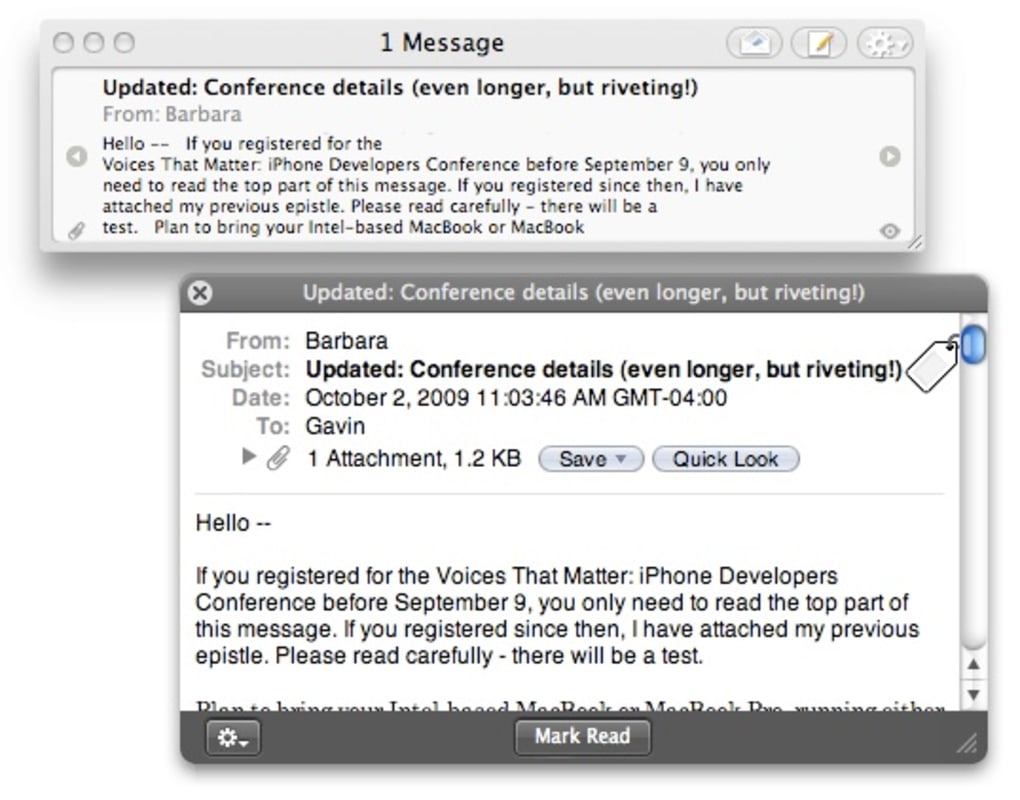
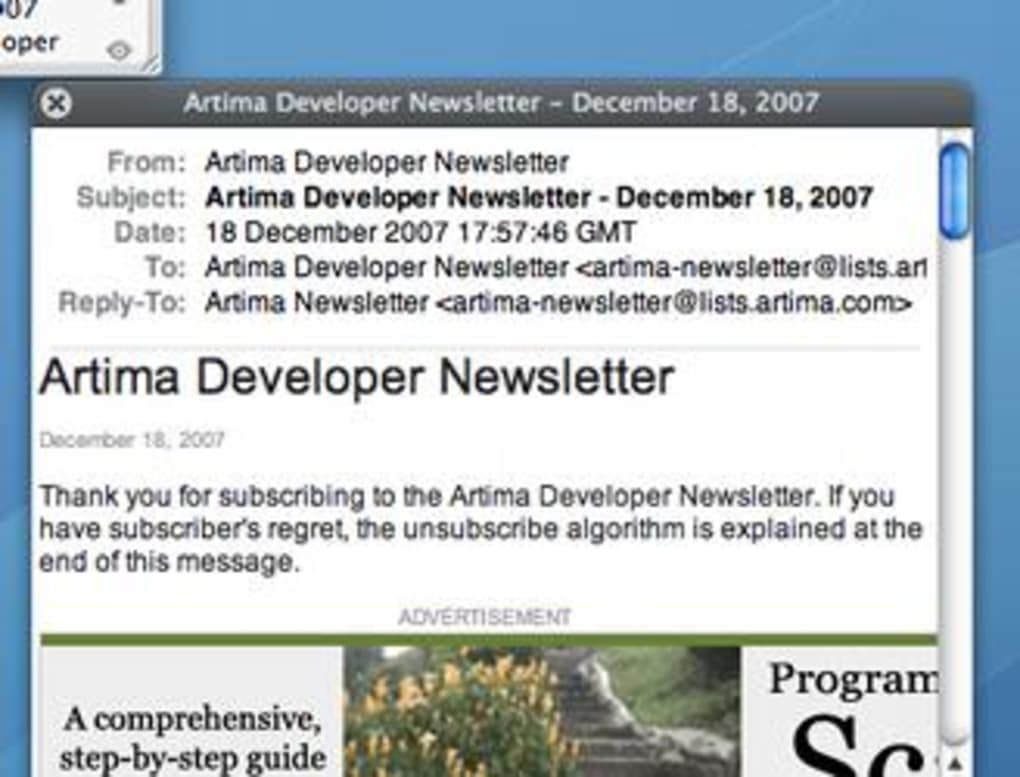
MiniMail is a lightweight Apple Mail plugin that brings your newest messages directly onto your desktop without the need to open the full Mail client. Designed for macOS power users, MiniMail creates a hovering window that constantly displays the subject line, sender, and a brief snippet of each unread email. With a single click you can check mail, compose a new message, reply, forward, or even mark a message as junk—all from the same compact interface.
The plugin also supports customizable hotkeys, allowing you to toggle the preview window or trigger a manual refresh without ever leaving your current workflow. Whether you’re coding, designing, or simply browsing the web, MiniMail keeps you in the loop, saving precious time and reducing the distraction of constantly switching apps. While it does not let you cycle through older messages, its focus on fresh, actionable notifications makes it a valuable companion for anyone who relies heavily on Apple Mail for daily communication.
Key Features of MiniMail
- Instant Desktop Preview: A hovering window shows new mail as soon as it arrives, keeping you informed without opening Mail.
- One‑Click Actions: Reply, forward, mark as junk, or compose a new message directly from the preview panel.
- Customizable Hotkeys: Assign keyboard shortcuts for checking mail, opening the preview, or dismissing the window.
- Resizable Interface: Switch between widescreen view for full snippets or a compact single‑line mode for a discreet presence.
- Seamless Integration: Works as a native plugin for Apple Mail, preserving your existing mailbox settings and signatures.
- OS X 10.6.5 Compatibility: Preliminary support for Mail 4.4 ensures smooth operation on Snow Leopard and later releases.
- Lightweight & Secure: Minimal memory footprint and no external servers—your email stays on your Mac.
MiniMail’s design philosophy revolves around speed and simplicity. By stripping away the clutter of a full email client, it provides a focused view of what truly matters: the newest messages that require your attention. The plugin also respects macOS’s native security model, running within the Mail sandbox and never transmitting data elsewhere. For users who value privacy and efficiency, MiniMail offers a compelling solution that feels like an extension of the Mail app itself.
Installation, Usage Instructions, and Compatibility
Getting MiniMail up and running is straightforward, even for users with limited technical experience. Follow these steps to install the plugin and start receiving desktop notifications within minutes:
- Download the Installer: Visit the official MiniMail website and click the “Download for macOS” button. The file is a signed .dmg package, ensuring a secure download.
- Mount the Disk Image: Double‑click the .dmg file to open it. You’ll see the MiniMail.app icon and a shortcut to the
/Library/Mail/Bundlesfolder. - Copy the Plugin: Drag the MiniMail.bundle file into the
/Library/Mail/Bundlesdirectory. You may be prompted for your administrator password—enter it to allow the copy. - Enable the Plugin: Open Apple Mail, go to Mail > Preferences > General, and click the “Manage Plug‑Ins” button. Ensure MiniMail is checked, then restart Mail.
- Configure Settings: After restarting, a MiniMail icon appears in the menu bar. Click it to open the preferences pane where you can set hotkeys, choose window size, and adjust refresh intervals.
- Start Using MiniMail: Press your assigned hotkey or click the menu bar icon to summon the hovering preview window. New messages will appear automatically; use the right‑hand buttons to reply, forward, or junk the email.
MiniMail is compatible with macOS 10.6.5 (Snow Leopard) and later, including macOS 11 (Big Sur) and macOS 12 (Monterey). The plugin has been tested with Apple Mail version 4.4 and newer, offering reliable performance across most recent releases. Users on older versions of Mail may experience limited functionality, but the core preview feature typically remains operational.
Because MiniMail runs entirely on your local machine, there are no additional system requirements beyond a functional Apple Mail installation. The plugin consumes less than 15 MB of RAM and negligible CPU cycles, making it suitable for older hardware as well as the latest MacBook Pro models. Regular updates are provided via the website, and an automatic check for new versions can be enabled in the preferences panel.
Pros, Cons, and Frequently Asked Questions
Pros
- Instant visibility of new emails without opening Mail.
- Compact, resizable window fits any workflow.
- One‑click actions reduce the steps needed to reply or forward.
- Custom hotkeys enhance productivity for power users.
- Free, secure, and lightweight – no background services.
Cons
- Cannot cycle through older messages; only newest emails are shown.
- Requires manual installation; not available via the Mac App Store.
- Limited to Apple Mail – does not support third‑party email clients.
- Some users may find the hovering window intrusive if not resized appropriately.
FAQ
Is MiniMail completely free?
Yes, MiniMail is offered as a free download. There are no hidden fees, subscription charges, or in‑app purchases.
Can I use MiniMail with iCloud, Gmail, or Exchange accounts?
MiniMail works with any email account that Apple Mail can access, including iCloud, Gmail, Yahoo, and Exchange. It simply mirrors the unread messages that Mail already retrieves.
How do I change the hotkeys for MiniMail?
Open the MiniMail preferences from the menu bar icon, navigate to the “Keyboard Shortcuts” tab, and assign new key combinations for actions such as “Show Preview” or “Refresh Mail”.
Will MiniMail affect the performance of Apple Mail?
No. MiniMail is designed to be a lightweight observer. It only reads the unread message list from Mail and does not interfere with sending or receiving processes.
How do I update MiniMail to the latest version?
Enable automatic update checks in the preferences pane. When a new version is available, MiniMail will display a notification prompting you to download and install the update.
MiniMail excels at delivering a quick glance at new messages, dramatically cutting down the time spent navigating to the Mail app. While it lacks an email archive view, its core purpose—showing fresh mail instantly—is executed flawlessly. Users who need a constant stream of notifications will appreciate the unobtrusive hover window and the ability to act on messages with a single click.
Conclusion & Call to Action
For macOS professionals who live inside Apple Mail, MiniMail offers a pragmatic, free solution to stay on top of incoming communication without breaking concentration. Its hovering preview, instant actions, and customizable hotkeys transform the way you interact with email, turning a traditionally disruptive task into a seamless part of your daily workflow. Although the plugin does not replace the full Mail client—especially for browsing older conversations—it shines as a focused notification tool that respects both privacy and system resources.
If you’re ready to experience faster email awareness, Free Download MiniMail today and enjoy a more efficient Apple Mail environment. Keep an eye on updates, configure your hotkeys, and let MiniMail keep your inbox in view while you work on what truly matters.







